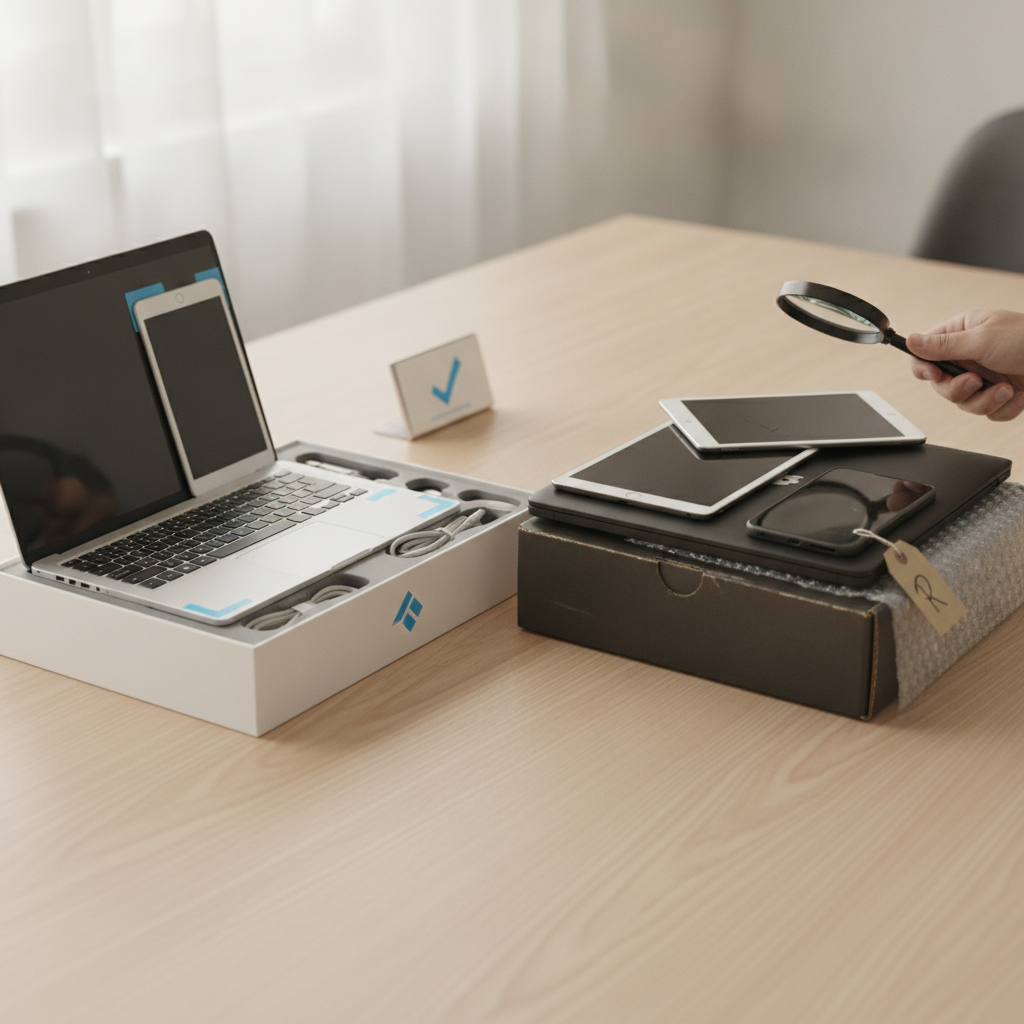
Refurbished electronics have quietly become one of the smartest purchasing decisions a careful shopper can make — but only when you know where the real differences lie. The gap between a manufacturer-certified refurbished device and a third-party reseller listing can be enormous, and it's not always obvious from the product page alone. Whether you're eyeing a refurbished MacBook from Apple's own certified store or a laptop listed by an independent seller on eBay, understanding what separates one from the other can save you serious frustration down the road.
Check Who Actually Did the Refurbishing
The single most important question to ask before buying any refurbished device is who performed the inspection and restoration work. Manufacturer-certified programs — like Apple Certified Refurbished, Dell Outlet, or Samsung's certified store — use the same technicians and replacement parts as their factory production lines. That means failed components are swapped with genuine parts, not third-party substitutes. Third-party resellers vary wildly. Some are rigorous and transparent; others use the word "refurbished" loosely to describe a device that was simply wiped and repackaged. Always look for explicit language about who handled the restoration process.
Compare Warranty Terms Before Anything Else
Warranty coverage is where manufacturer programs genuinely shine, and it's one of the clearest ways to distinguish quality tiers. Apple, for instance, backs its certified refurbished devices with the same one-year warranty offered on new products, and you can extend it through AppleCare. Dell and Lenovo follow similar structures. Third-party resellers often offer 90-day warranties, and some offer nothing at all beyond a vague return window. A longer, more comprehensive warranty isn't just a reassurance — it tells you the seller is confident enough in the product's condition to stand behind it financially. That confidence matters.
Understand What "Grade" Labels Actually Mean
Many third-party platforms use grading systems — Grade A, Grade B, or terms like "like new" and "good" — to signal a device's cosmetic and functional condition. These labels are helpful, but they're not standardized across sellers. One reseller's "Grade A" might allow for minor scratches; another's might mean pristine condition only. Manufacturer programs sidestep this ambiguity by holding every unit to a single internal standard. When shopping through third-party listings on platforms like Back Market or Swappa, read the condition descriptions carefully and look for sellers who include photos of the actual unit rather than stock imagery.
Verify That Original Components Were Used
Component integrity is a detail many buyers overlook until something goes wrong. Manufacturer-certified programs replace faulty parts with genuine OEM components — the same ones used in new devices. This matters most for batteries, screens, and charging systems, which degrade fastest and are most commonly swapped out during refurbishment. Third-party resellers sometimes use compatible aftermarket parts, which may function adequately but can affect performance, battery longevity, or compatibility with software updates over time. If a third-party listing doesn't specify original versus aftermarket parts, ask directly before purchasing or assume the worst.
Look for Return Windows That Give You Real Testing Time
A 14-day return policy sounds reasonable until you consider how long it actually takes to put a device through its paces. You want enough time to test the battery under real usage conditions, run software that stresses the processor, and check every port and feature. Manufacturer programs typically offer return windows that match their new-product policies — often 14 to 30 days. Some third-party resellers are more generous, particularly established sellers on Back Market who compete partly on return flexibility. Shorter windows — anything under ten days — should be a red flag, especially for higher-ticket items like laptops or tablets.
Research the Reseller's Track Record Independently
For third-party purchases, reputation is everything. A reseller with thousands of positive reviews across multiple platforms and a transparent return history is a far safer bet than a newer listing with minimal feedback. Platforms like Swappa and Back Market have built-in seller ratings and buyer protections that add a layer of accountability, which matters when you're buying from an independent source rather than a brand's own storefront. Before committing, search the seller's name outside the platform too. A quick look at external forums and review sites often surfaces patterns — positive or negative — that onsite ratings don't capture.
Factor in Long-Term Software Support Potential
A refurbished device's age directly affects how many years of software updates it will receive, which is something both manufacturer and third-party buyers should consider carefully. A certified refurbished iPhone model that's two generations behind may still have three or four years of iOS support ahead of it. A device from a third-party reseller might be the same model, or it might be older than advertised. Always verify the exact model number and cross-reference it with the manufacturer's support documentation before buying. Paying a bit more for a newer refurbished model often makes more sense than saving upfront on a device that will be unsupported within a year.
Watch for Hidden Costs That Erode Your Savings
The purchase price is rarely the full story. Third-party resellers sometimes charge separately for accessories, ship without original chargers or cables, or list devices that require immediate battery replacement. Manufacturer programs tend to include all original accessories and often ship with a new battery already installed. When you add up the cost of a replacement charging brick, a compatible cable, or a battery service appointment, a cheaper third-party listing can end up costing more in practice. Build a complete cost picture before comparing prices across sources — total cost of ownership is what actually matters.
Confirm What Certification Actually Guarantees
The word "certified" carries real weight when it comes from a manufacturer, but it gets used loosely elsewhere. Third-party certifications from lesser-known organizations don't always reflect a meaningful standard. When a manufacturer like Sony or Microsoft certifies a refurbished unit, there's a defined internal checklist behind that label. When a small reseller applies "certified" to their own listings, the term may simply mean the device turned on during inspection. Before placing trust in any certification language, look for specifics: what tests were performed, what was replaced, and what documentation comes with the device.
Shopping for refurbished electronics rewards the buyer who pauses to ask the right questions before clicking purchase. The difference between a reliable device and a frustrating experience often comes down to a few minutes of careful reading. Start with one item on your wish list, compare a manufacturer-certified option against a well-reviewed third-party alternative, and let the details guide you. The savings are real — and so is the satisfaction of making a genuinely smart choice.